Let the one presenting be you — without a camera or a studio
You upload one portrait photo, or design a presenter without one; from then on the same face speaks in presenter videos, personal introductions and in the corner of explainer videos, and appears without speaking in the scenes of an ad film. The clothes and the setting change, the face stays the same. No new shoot, no camera, no studio.
The first portrait is free; the number of portraits you can create per day is limited per account.
What can it do?
A portrait from a photo
One well-lit, front-facing portrait photo is enough; your talking portrait is ready straight away. The first portrait is free. A phone snapshot will do — no studio needed.
Design a presenter (no photo)
If you would rather not show your face, you choose gender, age range, clothing and setting; a presenter who belongs to no real person is generated and works across every portrait product.
Look pack
You pick one of eight ready themes; five looks with the same face are produced at once and saved to your portrait. The cost comes out of your credit balance.
Extra looks from your own photos
You add photos taken in other clothes or settings to the same portrait. Up to 20 looks per portrait; because each extra look is trained separately for the AI, there is a small charge per look.
Founder scene (ad film)
In one or two scenes of an ad film you appear as a character inside the described setting; the other scenes are shot as usual. Charged per scene.
Show the presenter (explainer video)
Your portrait narrates from the corner of the screen while the illustrations appear behind. Selected with a single tick when you open the project.
A separate choice in every product
The default on your AI Portrait page is only what opens first. In each product’s wizard — “which portrait should present?”, “where would you like to appear?” and the voice steps — you choose again for that particular job.
Consent and deletion
You only upload your own photo or the photo of someone whose rights you hold; the consent statement and its date are stored. You can delete it whenever you like, and the copy on the service side goes too.
In which product, and how do you choose?
Ad film with your portrait
Appears in sceneAn ad film is produced for your brand, and in the scenes you choose you appear inside your own work. There is no speech in these scenes; the narration runs as voiceover.
Presenter video
Lead roleAnnouncements, welcomes, briefings; you write the script in your own words.
Personal introduction
Lead roleFor independent professionals without a brand; the advertising rules of the profession are observed.
Multi-recipient video
Lead roleA separate video addressing each company by name; your face in all of them.
Ad film
OptionFounder scene: you inside the film, in one or two scenes.
Explainer video
OptionShow the presenter: your portrait narrates from the corner.
One photo. Every setting.
Upload one portrait photo and let your videos play wherever your work happens — in your grove, your workshop, your shop or your office: you do the talking, and your customer hears it from the person who does the work. No new shoot, no camera, no studio.
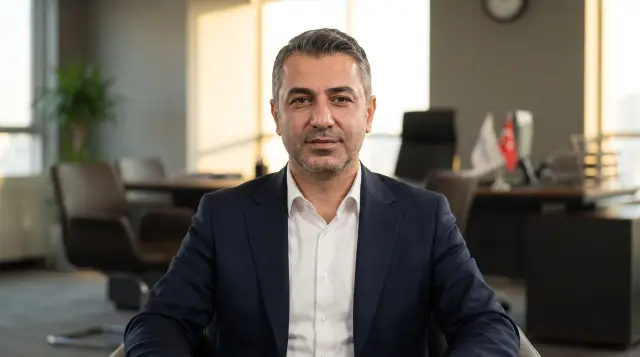
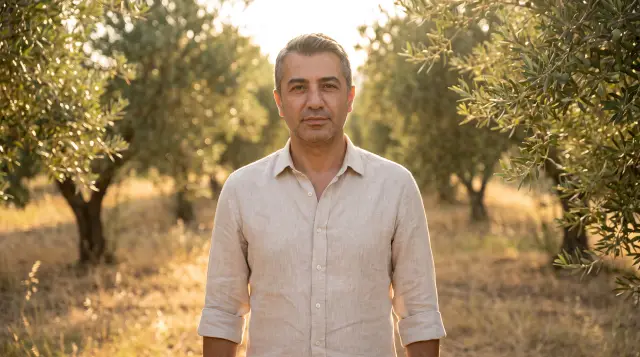
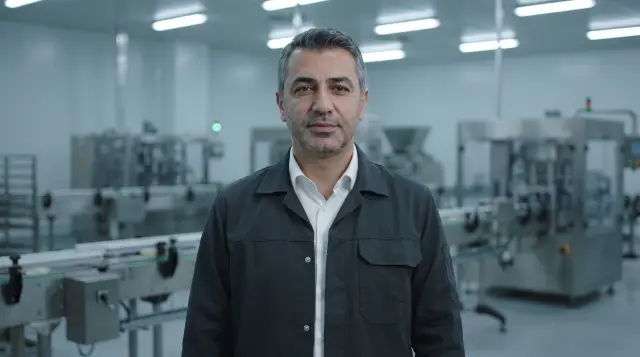
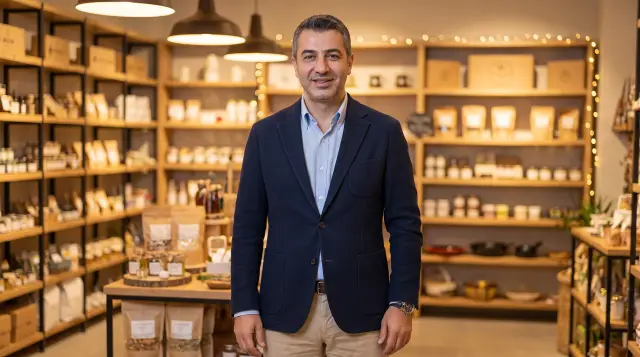

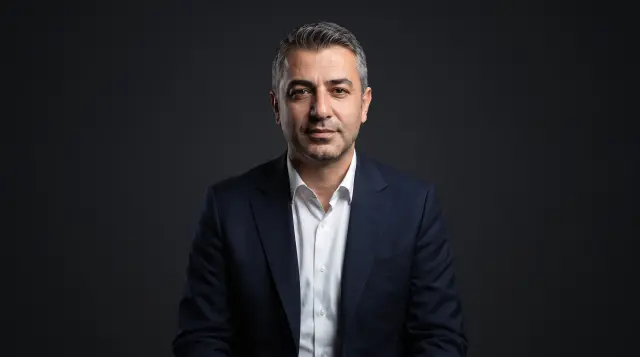
The same portrait is used across every product: ad films with your portrait, presenter videos and the offer videos produced for each buyer. You create it once.
Create your own portraitFrequently asked about AI Portrait
What is a talking portrait?+
A talking portrait is a digital presenter created from a single portrait photo that speaks on your behalf. You create it once, and the same face is used in presenter videos, personal introductions, multi-recipient videos, the founder scene in an ad film, and the "show presenter" option in an explainer video. The founder scene is the one variation: the portrait appears on screen as a character, and the film's voice-over carries the narration.
What if I don't have a photo or prefer not to show my face?+
Use "Design a presenter" and choose gender, age range, outfit and setting. The result is an AI presenter who does not represent any real person. It works just like a portrait created from a photo.
What is a look pack?+
A look pack gives you the same face in five different settings. Choose one of eight ready-made themes (Modern Corporate, Smart Casual, Scandinavian Minimal, Technology, Healthcare, Stage Speaker, Sports, Automotive), and five looks are generated and saved to your portrait. The cost is deducted from your credit balance, and in each project's wizard you choose which look to use.
Can I add looks from my own photos?+
Yes. Upload photos taken in other outfits or settings and add them to the same portrait as extra looks. A portrait can hold up to 20 looks. Because each extra look is trained separately for the AI, a small per-look fee applies. The more outfits, settings and angles you add, the better you can match a look to each job.
What is the difference between the founder scene and the "show presenter" option?+
The founder scene is part of the ad film. In the scenes you select (up to 1, 3 or 5, depending on the duration band), you appear as a character inside the described setting; by default the film's voice-over carries the narration, and if you prefer, you deliver it to camera. "Show presenter" belongs to the explainer video: illustrations appear in the background while your portrait speaks from a corner of the screen. Both are chosen when you start a project and appear as separate line items in your cart.
Do I make all my choices on the My Portrait page?+
No. The My Portrait page is where you manage your portraits, looks and default voice. In each product's wizard, you choose the portrait, look and voice for that specific job. Within one account, different videos can use different looks.
How do consent and deletion work?+
You can upload your own photo, or a photo of a person whose image you have the right to use. During upload you confirm a consent statement, and a record of that statement is kept. You can delete a portrait at any time, and the copy held on the service side is removed as well. Each account has a daily allowance for portrait creation.
Products
- AI Ad Film Maker
- Photo to Ad Film
- Script to Video
- AI Promo Video Maker
- AI Presentation Maker
- Turn Your Presentation into a Narrated Video
- AI Poster and Social Media Image Maker
- Company Profile PDF
- Kinetic Typography Video (Text Animation Video)
- Explainer Video (Whiteboard and Hand-Drawn Animation)
- Product Showcase Video
- AI Presenter Video with Your Own Face
- Ad Film With Your Portrait — You Appear in the Scenes
- Personal Promo Video for Professionals Without a Brand
- Video Translation & Dubbing: Get Your Video in Another Language
- Social Clips — Reels and Shorts from Your Video
- Story Video: A Different Person Tells Each Scene
Industries
- Customs and Logistics
- Food and Export
- Manufacturing & Industrial
- Construction and Architecture
- Healthcare and Clinics
- Education and Consulting
- E-commerce and Retail
- Hotels and Tourism
- Software and Technology
- Finance and Insurance
- Legal and Accounting Services
- Real Estate
- Automotive and Service
- Textile and Garment Manufacturing
- Furniture and Home Décor
- Cosmetics and Personal Care
- Agriculture and Livestock
- Energy and Infrastructure
- Machinery and Equipment Manufacturing
- Events and Event Management
- Gym and Fitness
- Beauty and Personal Care